
Download Outtloud – AI Voice Generator, Text‑to‑Speech, Accessible Audio Tool
Overview
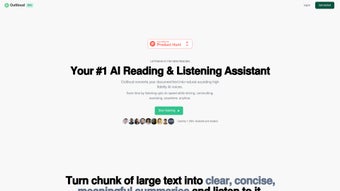
Outtloud is an innovative AI‑powered voice generator that transforms written documents into high‑fidelity audio with a natural‑sounding human voice. Built for learners, professionals, and anyone who prefers listening over reading, Outtloud bridges the gap between text and speech, making information instantly consumable while you’re on the go. The platform shines in educational environments, business presentations, and accessibility scenarios, offering a seamless web‑based experience that requires no installation.
Users with vision impairments, dyslexia, or a desire to multitask can upload PDFs, Word files, or plain text and receive a polished audio file within seconds. While the core function focuses on text conversion, the service leverages cutting‑edge neural text‑to‑speech models to capture intonation, emphasis, and pacing that mimic real human conversation. Outtloud’s subscription model provides unlimited conversions, regular updates, and secure cloud storage for your generated audio.
Although it currently supports only a single language and lacks offline capabilities, the developers promise continuous improvement as AI technology advances, ensuring that the tool remains at the forefront of accessibility and productivity.
Key Features
- Natural‑Sounding Voices: Utilizes deep‑learning models that produce lifelike speech with appropriate emotion and cadence.
- Multiple Document Formats: Accepts PDF, DOCX, TXT, and web URLs, allowing you to convert almost any written material.
- One‑Click Conversion: Upload your file, choose a voice style, and generate audio in under a minute.
- Adjustable Playback Speed: Speed controls let listeners tailor the audio tempo to their personal preference.
- Secure Cloud Storage: All generated files are stored encrypted in the cloud for easy retrieval and sharing.
- Subscription‑Based Unlimited Use: Flat‑rate pricing removes per‑minute caps and provides regular model updates.
- Accessibility‑First Design: Built with WCAG guidelines, ensuring keyboard navigation and screen‑reader compatibility.
- API Access (Future Roadmap): Planned developer API to integrate Outtloud into learning management systems or custom applications.
Each feature has been crafted with a focus on user experience and accessibility. The natural‑sounding voices reduce listener fatigue, especially during long lectures or corporate briefings. By supporting common document types, Outtloud eliminates the need for manual copy‑pasting, streamlining the workflow for educators and content creators.
The adjustable playback speed empowers users with dyslexia or attention challenges to find a comfortable listening rhythm, while secure cloud storage guarantees that sensitive business documents remain protected. Although the current version is limited to English, the roadmap indicates multilingual expansion, which will broaden its appeal to global audiences. The upcoming API will also open doors for integration with LMS platforms like Canvas or Moodle, reinforcing Outtloud’s position as a versatile tool in both educational and corporate ecosystems.
Installation, Usage & Compatibility
Getting Started – Simple Web‑Based Installation
Outtloud operates entirely as a web application, so there is no traditional installation process. To begin, visit the official Outtloud website and create a free trial account. After confirming your email, you’ll be directed to the dashboard where you can upload your first document. The interface guides you through selecting a voice profile, adjusting speed, and previewing the output before finalizing the conversion. Because the service runs in the cloud, you can access it from any device with an internet connection, making it ideal for remote work, classroom settings, or mobile use.
Step‑by‑Step Usage Guide
- Sign Up / Log In: Register with an email address or use a Google/Apple single sign‑on.
- Upload Document: Drag and drop a file or paste a URL. Outtloud automatically extracts the text.
- Select Voice & Settings: Choose from the library of AI voices, set playback speed, and optionally add a brief intro/outro.
- Generate Audio: Click “Convert” and watch the progress bar. Within seconds, the audio file is ready.
- Download or Stream: Save the MP3 to your device, add it to a playlist, or share a secure link.
- Manage Files: All conversions are stored in your personal cloud library for up to 30 days (extendable with a premium plan).
Operating System Support
Outtloud is platform‑agnostic because it runs in any modern web browser. It is fully compatible with Windows 10/11, macOS Ventura and later, Chrome OS, Linux distributions, as well as mobile operating systems such as Android 12+ and iOS 15+. The responsive design adapts to desktop monitors, tablets, and smartphones, ensuring a consistent experience regardless of device.
Pros and Cons
- Pros:
- High‑quality, natural voice output.
- No software download – accessible from any browser.
- Supports major document formats and web URLs.
- Adjustable speed and voice selection for personalized listening.
- Secure cloud storage with encryption.
- Unlimited conversions with subscription plan.
- Cons:
- Requires an active internet connection; no offline mode.
- Currently limited to English language output.
- Advanced features (API, batch processing) are only on the roadmap.
- Subscription cost may be a barrier for occasional users.
FAQ – Frequently Asked Questions
Can I use Outtloud on a mobile device?
Yes. Outtloud’s responsive web design works on Android and iOS browsers, allowing you to upload documents, generate audio, and download files directly from your smartphone or tablet.
Is there a free trial or a free tier?
Outtloud offers a 7‑day free trial that includes up to 30 minutes of audio conversion. After the trial, you can choose a monthly or annual subscription for unlimited usage.
What file formats can I upload?
Supported formats are PDF, DOCX, TXT, and direct URLs to web pages. The platform extracts the text automatically, preserving headings and basic formatting.
How secure is my uploaded content?
All uploads are encrypted in transit (TLS 1.3) and at rest. Files are stored for a maximum of 30 days unless you opt for extended retention with a premium plan.
Will Outtloud support other languages in the future?
The development roadmap includes multilingual expansion. While the current release is English‑only, the team has announced plans to add Spanish, French, and Mandarin within the next year.
Conclusion & Call to Action
Outtloud positions itself as a powerful, accessible AI voice generator that simplifies the transition from written word to spoken audio. Its web‑based architecture eliminates the hassle of downloads, while the natural‑sound voices and flexible playback controls make it a valuable companion for students, professionals, and anyone seeking a more auditory approach to information consumption. Although offline functionality and multilingual support are currently missing, the platform’s commitment to continuous improvement promises a future‑ready solution. If you’re looking for a secure, high‑quality text‑to‑speech tool that works across Windows, macOS, Android, and iOS, Outtloud is worth trying—especially with the generous free trial that lets you test its capabilities before committing to a subscription.
Ready to transform your documents into engaging audio? Start your free trial today and experience how effortless listening can boost productivity and accessibility.



.png)



